Cart drawer cross-sell depends on your theme having a cart drawer. If your theme uses a cart page instead, or has no drawer, the suggestions have nowhere to appear.
Checklist#
- Does your theme have a cart drawer? Add a product and open the cart. If it opens a separate cart page rather than a slide-in drawer, cross-sell cannot display there.
- Is the module on and configured? Check Growth → CRO → Cart drawer cross-sell.
- Is the app embed enabled? See App embed not showing.
- Are there products to suggest? If the source is Shopify recommendations and Shopify returns none, nothing shows.
Common causes#
| Symptom | Likely cause | What to do |
|---|---|---|
| No cross-sell area at all | Your theme has no cart drawer | Use a theme with a cart drawer, or use a different module in the cart. |
| The area appears but is empty | Shopify recommendations returned nothing | Switch Recommendation source to Manually selected products and choose products. |
| Suggestions are products already in the cart | Exclusion is off | Turn on Exclude products already in the cart. |
| Nothing appears at all | Module off or not configured, or app embed off | Switch it on, configure it, and enable the app embed. |
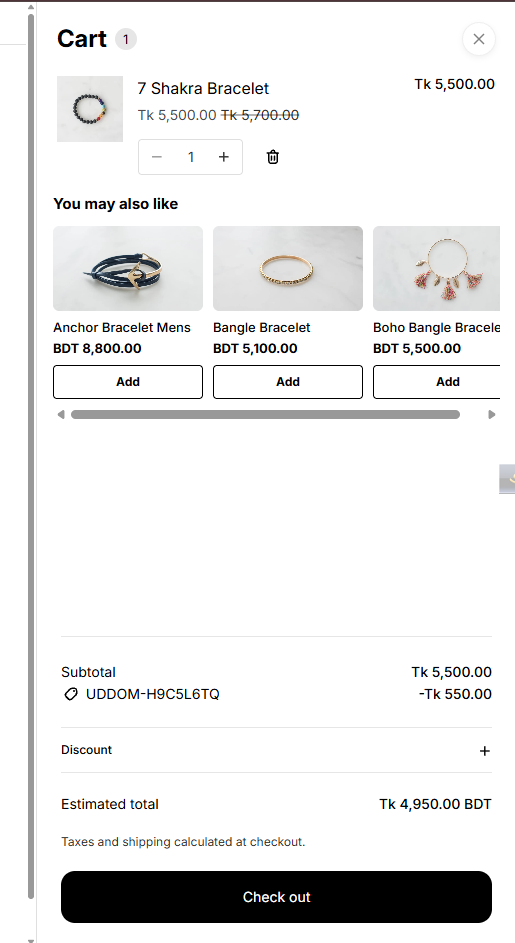 Storefront cart drawer with cross-sell suggestions
Choosing a layout that fits#
If the suggestions take up too much of the drawer, try the Carousel or Grid layout and reduce Maximum products. If they are too small to use, try List.