Home is your starting point in Uddom. It shows how far along your setup is, what Uddom can verify about your store, the numbers you have so far, and shortcuts into the tools you use most.
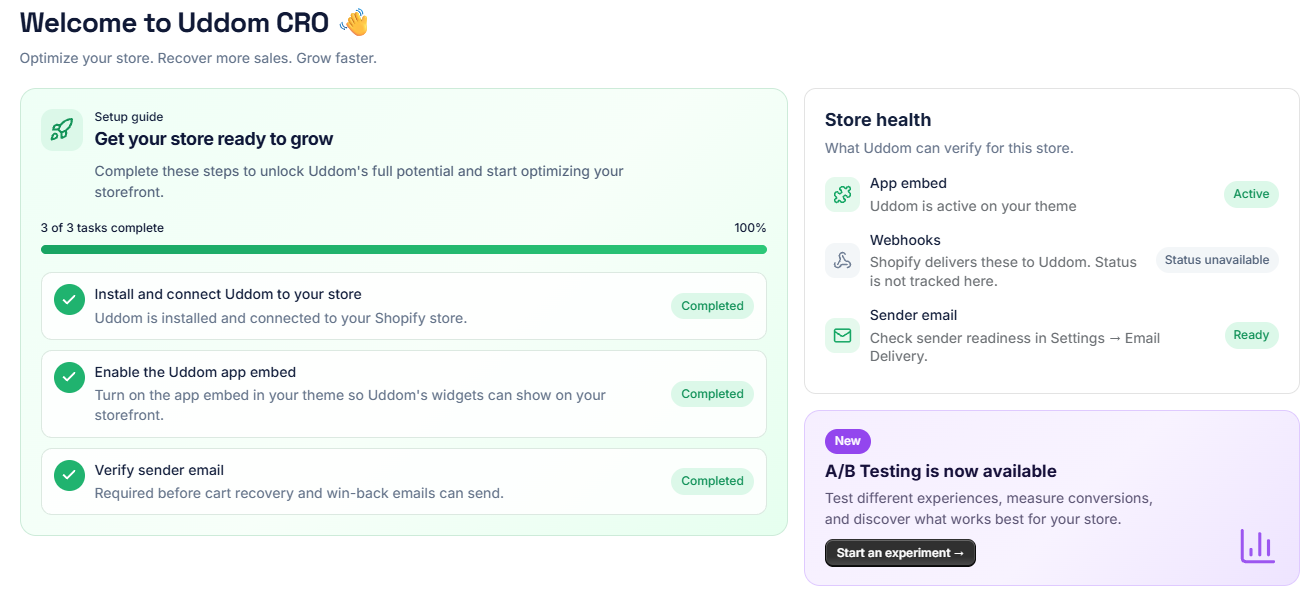 Home dashboard, top section
Welcome header#
Home greets you with Welcome to Uddom CRO and the line Optimize your store. Recover more sales. Grow faster.
Setup guide#
The setup guide card, Get your store ready to grow, lists the three first-run tasks and a completion percentage. Each task can be completed straight from the card using its button. See Installing Uddom for the task list.
Store health#
Store health answers “what can Uddom verify for this store?” The App embed row is the important one — it tells you whether Uddom is active on your theme. A Sender email row points you to email delivery.
Some rows show Status unavailable. That is expected: Uddom does not track every item on this page, and sender readiness lives in Settings → Email Delivery.
Your numbers#
A row of headline figures sits on Home. Where Uddom does not yet have a data source for a figure, it shows a dash rather than a number, so you are never looking at a made-up zero.
| Figure | What it shows |
|---|---|
| Recovered Orders | Currently shown as “Not tracked yet”. |
| Add-to-cart rate | Shows a dash until data is available. |
| Emails sent | Shows a dash until data is available. |
| Attributed revenue | Revenue from order lines attributed to Uddom modules. |
For the full picture, open Insights.
Quick actions#
Quick actions gives you four shortcuts:
- Manage CRO modules — set up and customise.
- View analytics — see detailed reports.
- Email settings — verify and manage.
- WhatsApp & SMS — configure campaigns (this channel is not available yet — see the note below).
Upcoming features#
Home lists features that are on the way. These are not available yet, and Uddom labels each one honestly:
| Feature | Status shown |
|---|---|
| AI CRO recommendations | Coming soon |
| Smart exit intent | In development |
| Advanced revenue analytics | Planned |
WhatsApp and SMS are also marked Coming soon in the Marketing area. They are not usable yet.
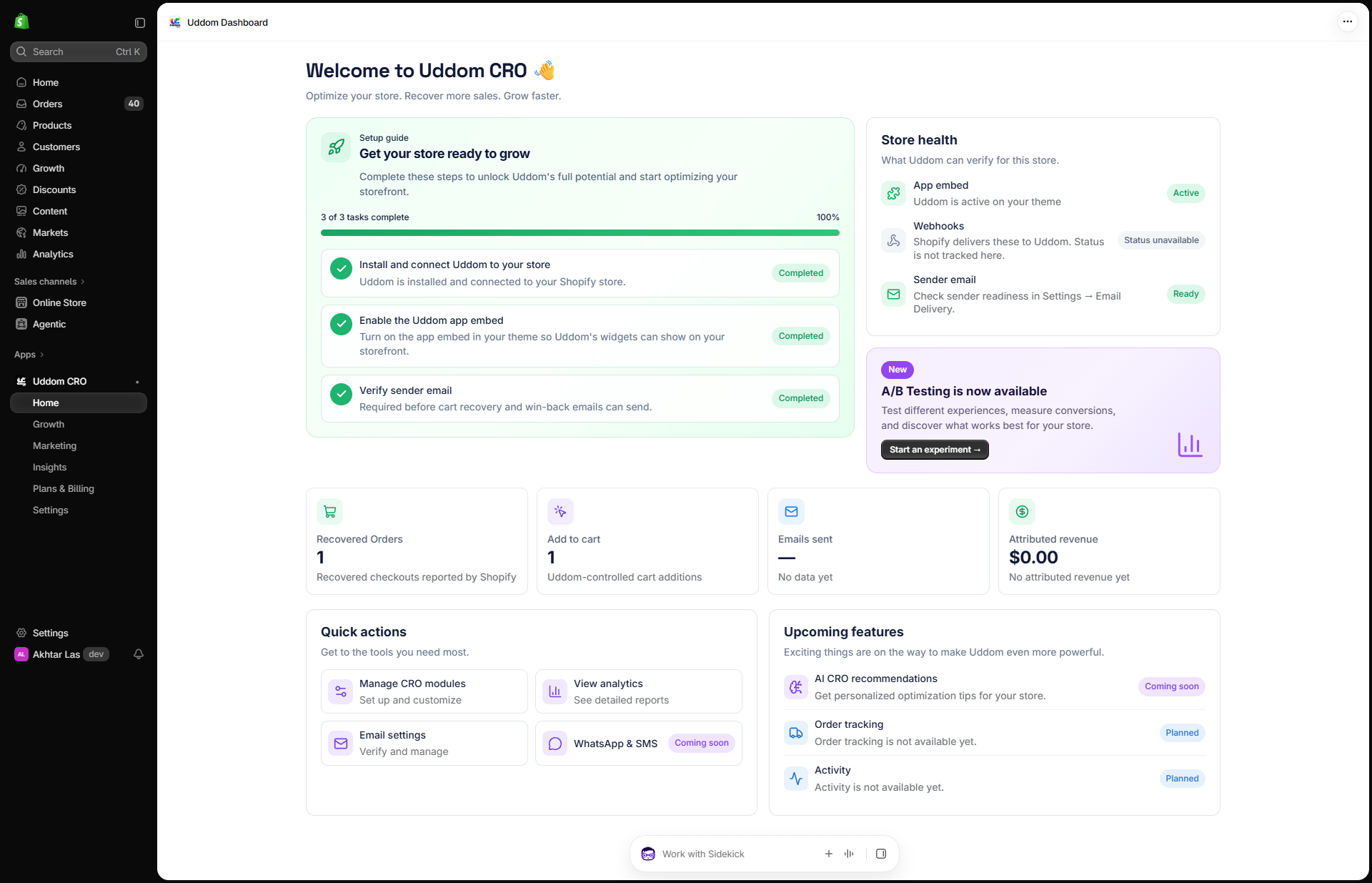 Home dashboard, full page