This page explains each figure Uddom reports, in the order you meet them: the Overview cards, then the Module Performance table.
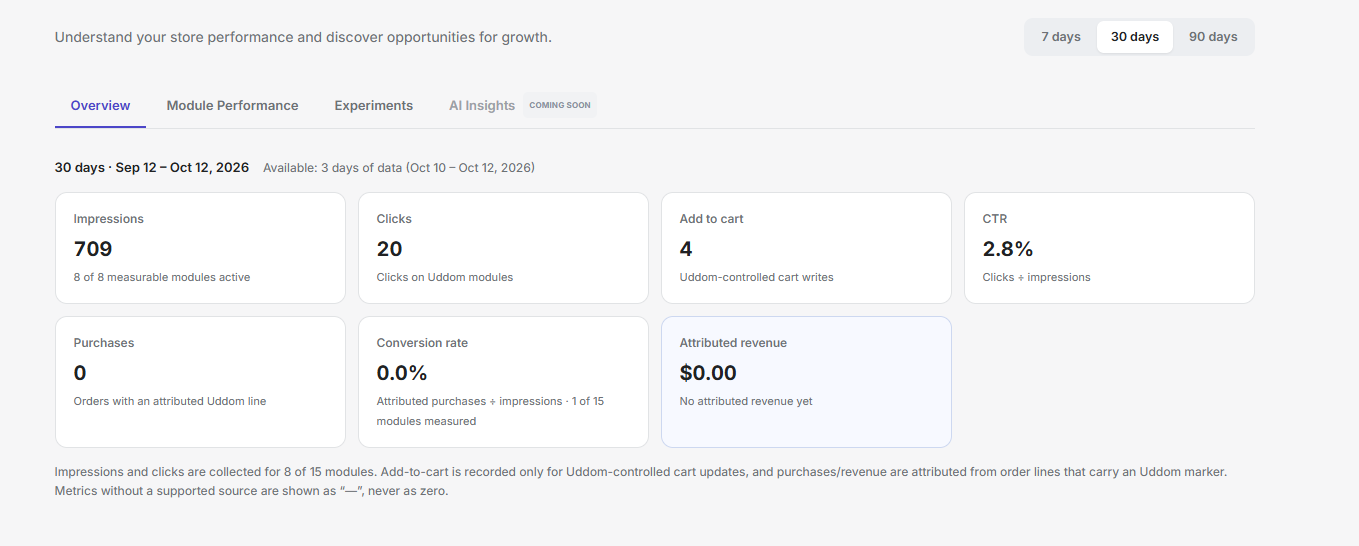 Insights Overview cards
Overview figures#
| Figure | What it means |
|---|---|
| Impressions | How often Uddom modules were seen. The sub-line shows how many measurable modules are active. |
| Clicks | Clicks on Uddom modules. |
| Add to cart | Cart writes Uddom controlled. |
| CTR | Clicks divided by impressions. |
| Purchases | Orders that include a line Uddom can attribute to a module. |
| Conversion rate | Attributed purchases divided by impressions, with a note on how many modules are measured. |
| Attributed revenue | Revenue from order lines attributed to Uddom modules, net of attributed refunds. |
Where the numbers come from#
Insights explains its own coverage in plain language:
- Impressions and clicks are collected for the modules that support them.
- Add to cart is recorded only for cart updates Uddom performs.
- Purchases and revenue are attributed from order lines that carry an Uddom marker.
- Metrics without a supported source are shown as a dash or “Not measured”, never as zero.
Not measured means the module has no tracking source for that column. A covered column with no activity is a genuine 0. The two are deliberately shown differently so you can trust the difference.
Module Performance#
Insights → Module Performance lists each module with Impressions, Clicks, CTR, Add to cart, Purchases and Attributed revenue. Modules that cannot record impressions are marked No impression tracking.
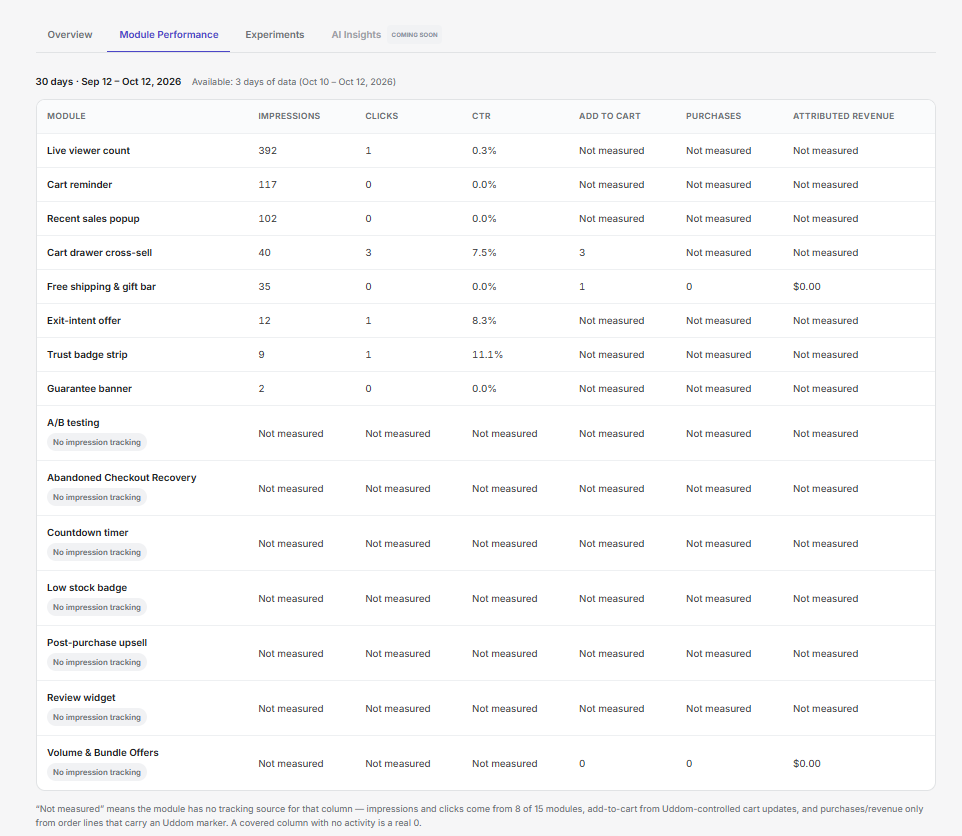 Insights → Module Performance table
Attributed revenue and refunds#
Attributed revenue is net of attributed refunds. When refunds apply, the hint under the figure tells you how much was refunded. If an order mixes currencies, the figure is not summed; Uddom says so instead of adding unlike amounts together.
The CRO stats header#
The CRO page repeats four of these as a header: Modules active (of the available modules), Storefront payload, Conversion rate and Attributed revenue. They use the same definitions and the same coverage notes as Insights.
Troubleshooting#
- Everything shows a dash. There is not enough data in the period yet. Try a longer period, and confirm the app embed is enabled.
- One module shows nothing. It may not support impression tracking. See Analytics not showing data.