Contacts are stored in email lists. A list is a group of contacts you can send to — for example a newsletter list or a VIP list.
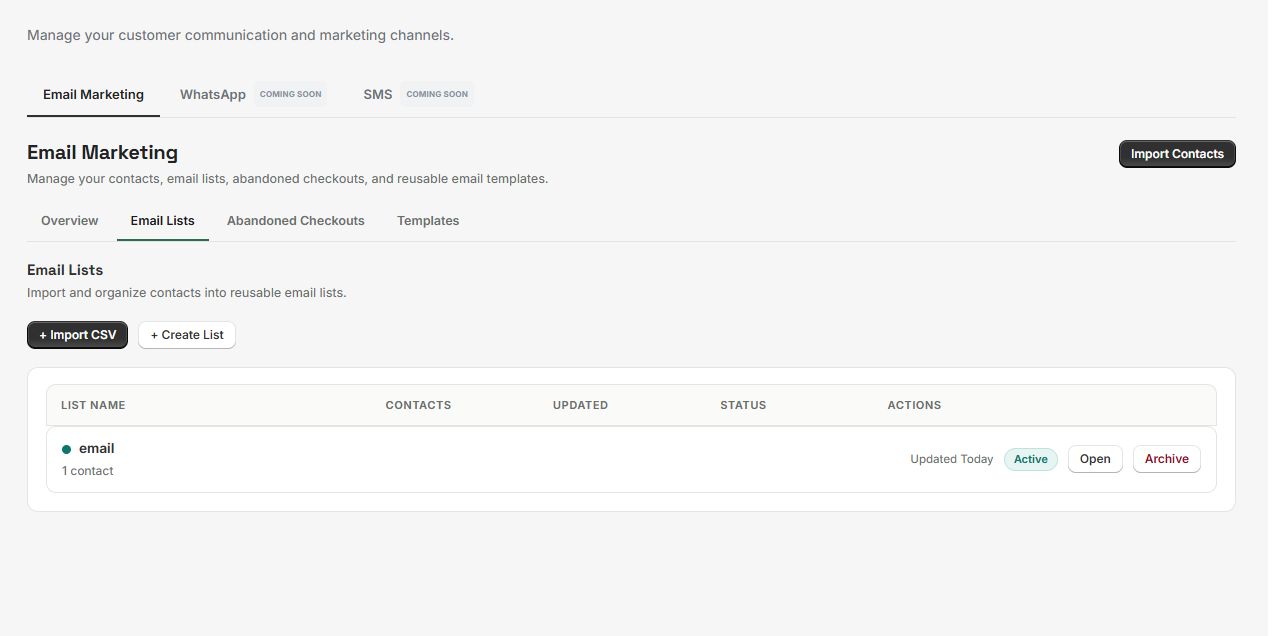 Email Marketing → Email Lists
Creating a list#
- Open Marketing → Email Marketing → Email Lists.
- Choose + Create List.
- Enter a List name (required, up to 120 characters) and an optional Description (up to 400 characters).
- Choose Create List.
You can also create a list while importing a CSV — the import wizard offers Or create a new list.
Contact statuses#
Every contact has a status, and it decides whether they can receive marketing email.
| Status | What it means |
|---|---|
| Subscribed | Has consented to marketing email. The only status that can be sent to. |
| Unsubscribed | Has opted out. Stored, but never sent to. |
| Suppressed | Held back from sending. |
| Invalid | The email address could not be used. |
Managing contacts in a list#
Open a list to see its contacts. From there you can:
- Select contacts with the checkboxes, or Select this page.
- Send Email to the selected contacts (see Sending emails).
- Unsubscribe a contact, or Mark subscribed to add them back.
- Remove from list — this removes them from this list only. It does not unsubscribe them or change their marketing status.
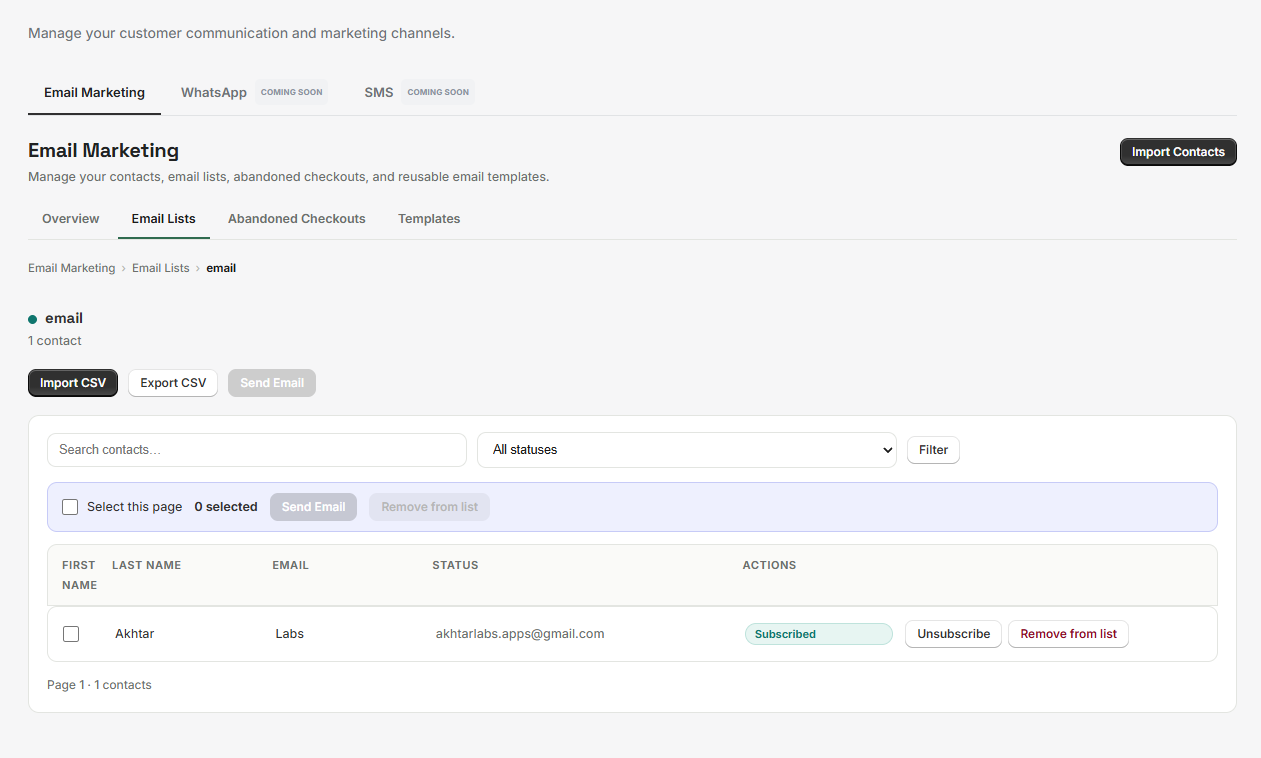 A list's contacts
Unsubscribe#
Customers can unsubscribe from a marketing email using the unsubscribe link it contains. That link opens a simple page asking them to confirm; once confirmed, they see You are unsubscribed and no longer receive marketing email from your store.
Unsubscribing stops marketing email only. Customers may still receive emails about their orders.
You can also unsubscribe a contact yourself from within a list.
Best practices#
- Keep lists focused. A clear list is easier to write for and to measure.
- Remove contacts who ask to be removed — the unsubscribe link handles it automatically.
- Use the description field to note where a list came from.