Volume & Bundle Offers is the CRO card that takes you to Uddom’s offer builder. Offers are the most powerful way to raise average order value: buy more, save more; build a bundle; let shoppers mix and match.
What it does#
From one place you can create automatic discounts that apply at checkout, such as quantity breaks, bundles, Mix & Match, free gifts and subscription offers. Each offer has its own tiers, rewards, targeting and storefront layout.
Why use it#
Instead of discounting everything, offers reward shoppers for buying more or for choosing the products you want to move.
How to get there#
- Open Growth → CRO and find Volume & Bundle Offers in the AOV booster group.
- Choose Configure. Uddom opens the Offers page.
- Create your first offer.
The module itself does not have settings of its own — all configuration happens in the Offers area. You can also reach it any time from Growth → Offers.
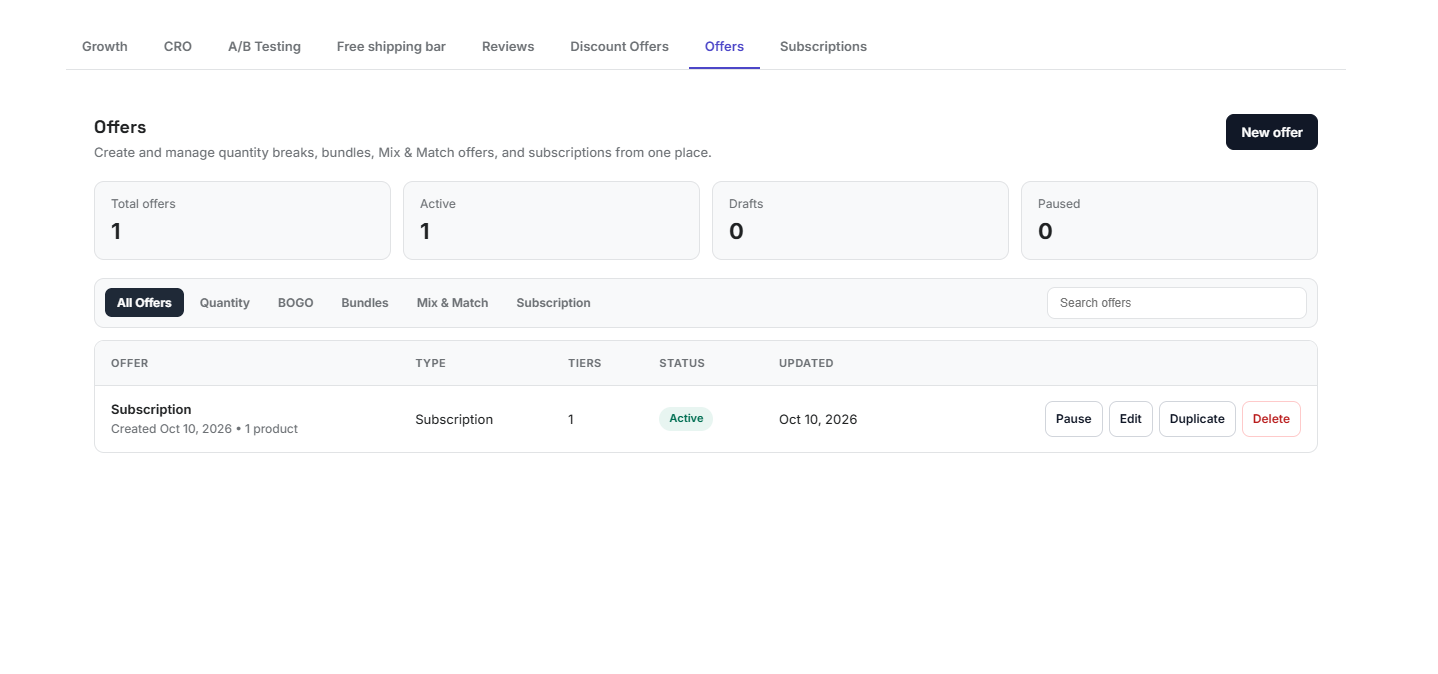 Offers page
What you can build#
| Offer type | Example |
|---|---|
| Quantity Break | Buy 3, save 15%. |
| Buy X Get Y | Buy 2, get 1 free. |
| Bundle | Buy a set of products together at a special price. |
| Mix & Match | Pick any 3 from a group and save. |
| Spend & Reward | Spend 100 to unlock a reward. |
| Free Gift | Get a free product when you qualify. |
| Subscription | Offer recurring pricing on a product. |
| Bundle + Subscription | A bundle with recurring subscription pricing. |
Full details are in Offers & discounts.