Discount Offers are reusable discount codes. They are the codes that Uddom’s CRO features can display to shoppers — most importantly the exit-intent offer.
What it does#
Each Discount Offer creates a real Shopify discount code. You set the type, amount, the single product it applies to, any purchase requirements, a schedule and its status.
Why use it#
Keeping your promotional codes in one place means a CRO feature can offer the right code at the right moment without you having to build it in two places.
Creating a Discount Offer#
- Open Growth → Discount Offers.
- Choose + Add discount.
- Complete the sections below.
- Set its status to active and save.
Configuration#
Discount details#
| Field | What it does |
|---|---|
| Discount name | A name for your own reference. |
| Discount code | Choose Auto generate or enter a Custom code. |
| Discount type | Percentage, Fixed amount or Free shipping. |
| Discount percentage / amount | The value, matching the type you chose. |
Product eligibility#
Select the product the discount applies to. One product is selected per discount code.
Purchase requirements#
Optionally set a minimum purchase amount and a usage limit.
Schedule and status#
Optionally set a start and end date, and choose whether the discount is Active or Inactive.
A preview card shows what the offer will look like.
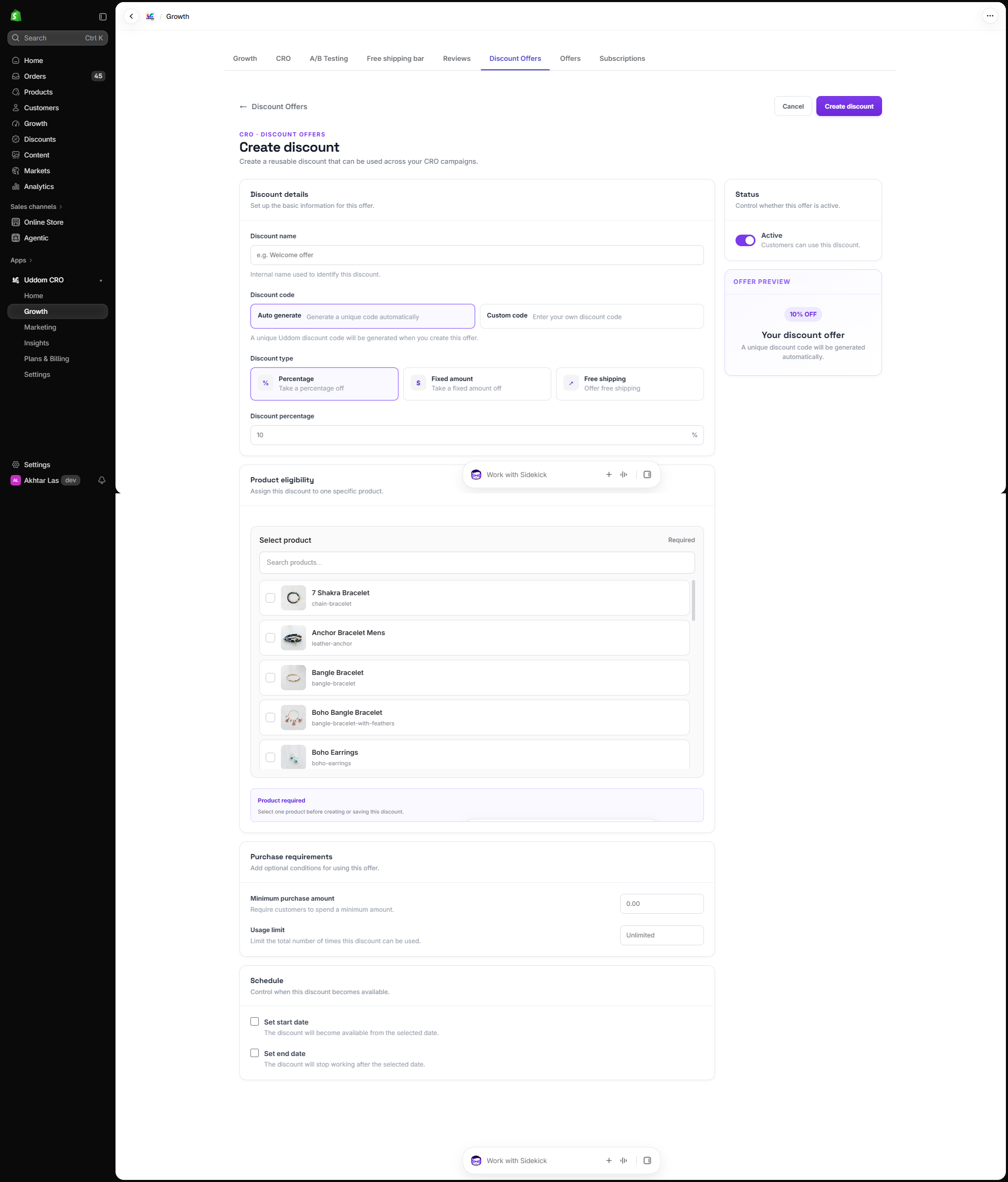 Create Discount Offer
The Discount Offers list#
The page shows counts for Total discounts, Active offers, Total redemptions and Inactive offers, with filters for All, Active and Inactive. Each row lists the discount, its offer, what it applies to, redemptions and status, with actions to Edit, Disable/Enable and Delete.
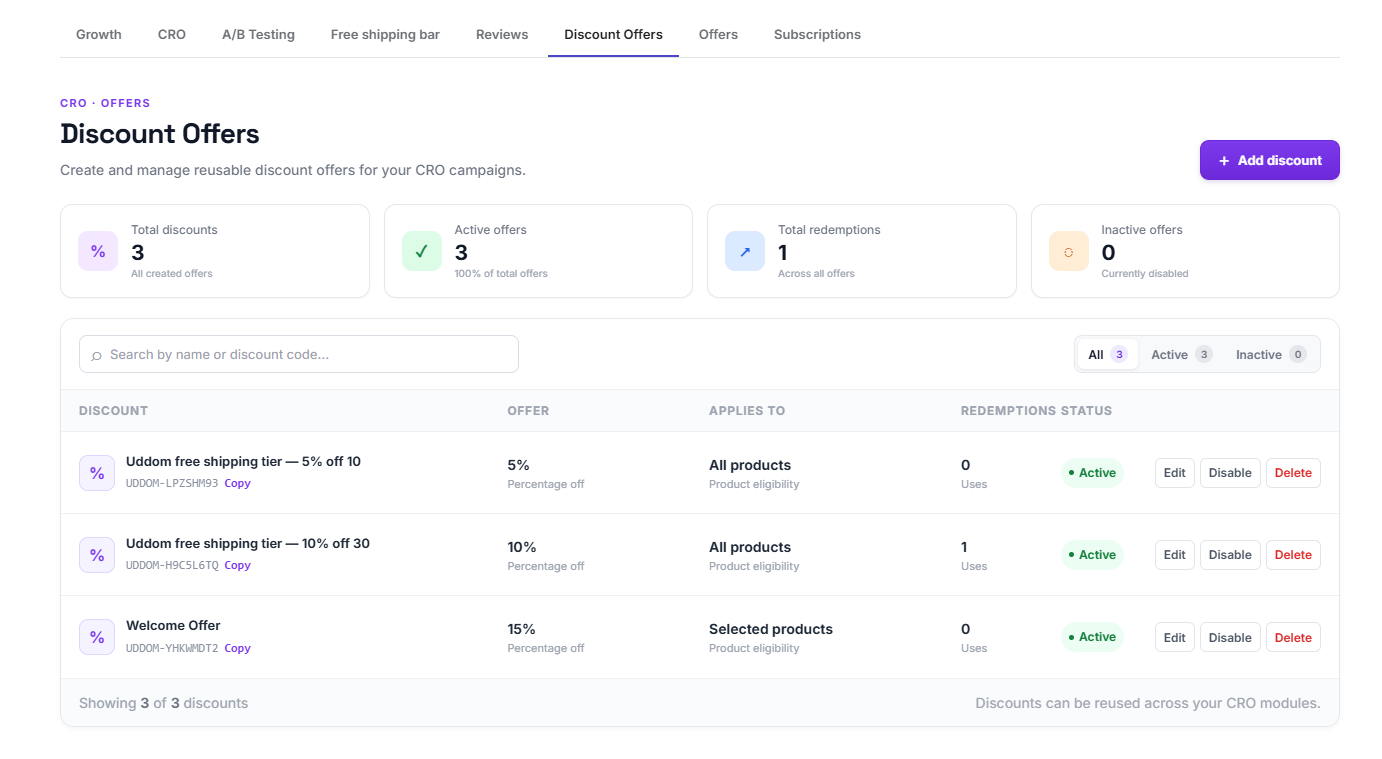 Discount Offers list
Using a Discount Offer#
Once a Discount Offer is active it becomes selectable in the Exit-intent offer settings, where you choose which discount the popup should show.
Best practices#
- Give codes you will recognise, especially if you run campaigns in parallel.
- Use a purchase requirement so a code is only used when it makes sense.
- Deactivate a code when a promotion ends rather than deleting it, so its history stays intact.
Troubleshooting#
- My discount is not selectable in the exit-intent offer. Confirm the Discount Offer is active.
- A code does not work at checkout. Check its status, dates and minimum purchase amount.