The Uddom app embed is a single switch inside your Shopify theme. When it is on, Uddom can load its storefront scripts on every page. Most Uddom features will not appear on your storefront until this is enabled.
How to enable it#
- In the Uddom app, go to Home and find the Setup guide, or open Growth and read the Turn on the app embed step.
- Choose Enable embed. Uddom opens your theme editor with the app embeds panel ready.
- In the theme editor, find the app embed named Uddom and switch it on.
- Save the theme.
You can also reach it yourself: in Shopify, go to Online Store → Themes → Customize, then open App embeds (usually in the left-hand sidebar) and switch on Uddom.
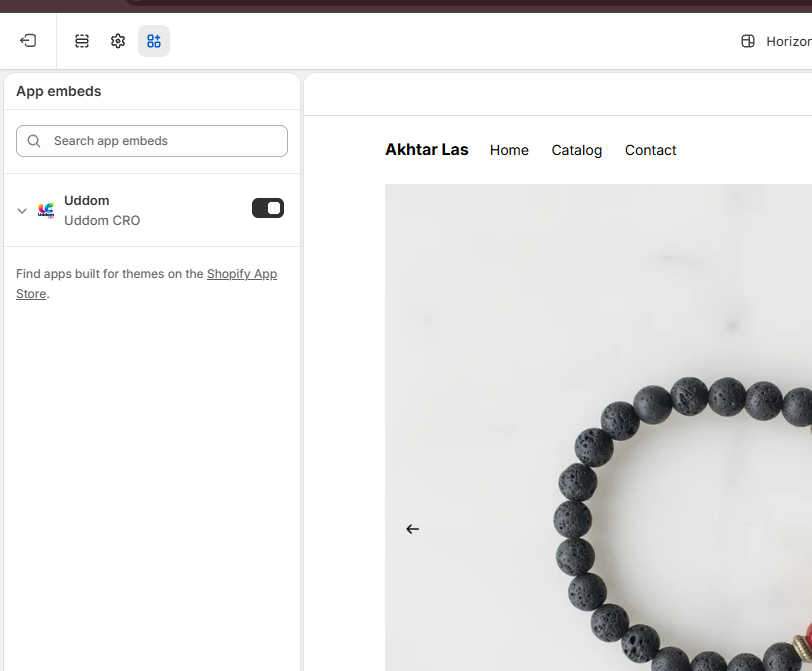 Theme editor: App embeds panel with the Uddom embed switched
on
Theme editor: App embeds panel with the Uddom embed switched
on
What the app embed does#
The embed is the delivery switch for Uddom’s storefront features. Once it is on, the modules you have configured can render. It is also where the Free shipping bar’s theme-level controls live (colours, style and layout), because those are theme settings rather than app settings.
Optional app blocks#
A few features also offer optional app blocks you can add to a specific template for precise placement — for example the Free shipping bar, the Guarantee banner, the Trust badge strip and the Uddom Offer block. Adding a block is optional: without it, the app embed places the feature automatically based on the location you chose in the app. Any block you do add still requires the app embed to be switched on.
If you switch a module on in the app but nothing appears on your storefront, the app embed is almost always the reason. Check it first.
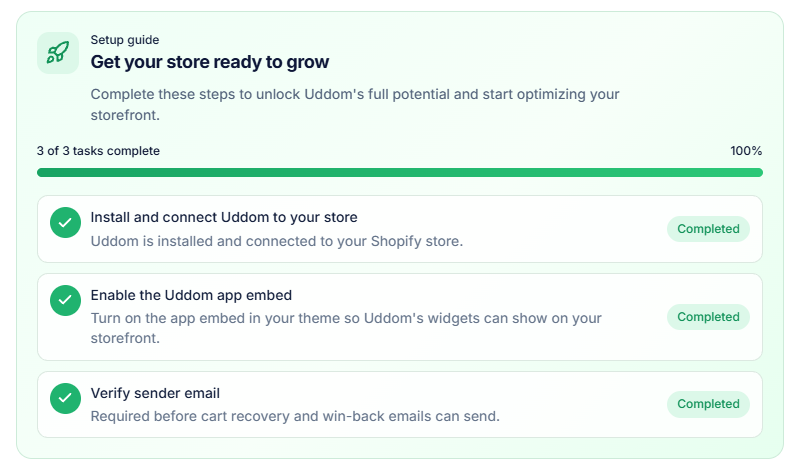 Storefront result: a Uddom widget rendered after enabling the
embed
Storefront result: a Uddom widget rendered after enabling the
embed
Troubleshooting#
- I do not see an “App embeds” section. Make sure you are editing the theme that is actually published, and that the Uddom app is installed on this store.
- The embed is on but modules still do not show. Confirm the module is switched on and configured, then check App embed not showing.
- I made changes in the theme editor. Remember to save the theme, or your changes will not reach the storefront.