Email templates are reusable emails. You design one, and features such as marketing sends and abandoned checkout recovery reuse it. Templates live under Settings → Email Templates.
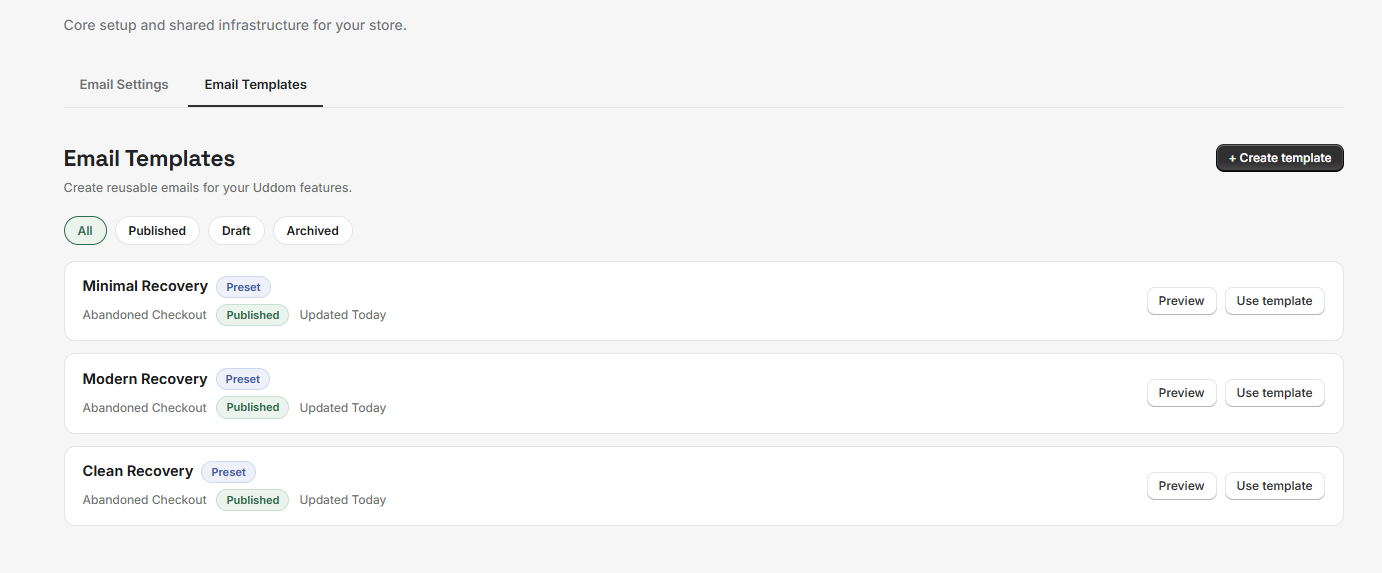 Email Templates list
Template types#
Every template is one of three types, and the type decides where it can be used:
| Type | Used for |
|---|---|
| Abandoned Checkout | Recovery emails. |
| Marketing | Marketing emails you send to a list. |
| General | Any other use. |
Built-in presets#
Uddom ships with three ready-made recovery presets — Clean Recovery, Modern Recovery and Minimal Recovery. Presets are marked Preset. You cannot change a preset itself; instead choose Use template (or Duplicate to a draft) to make your own editable copy.
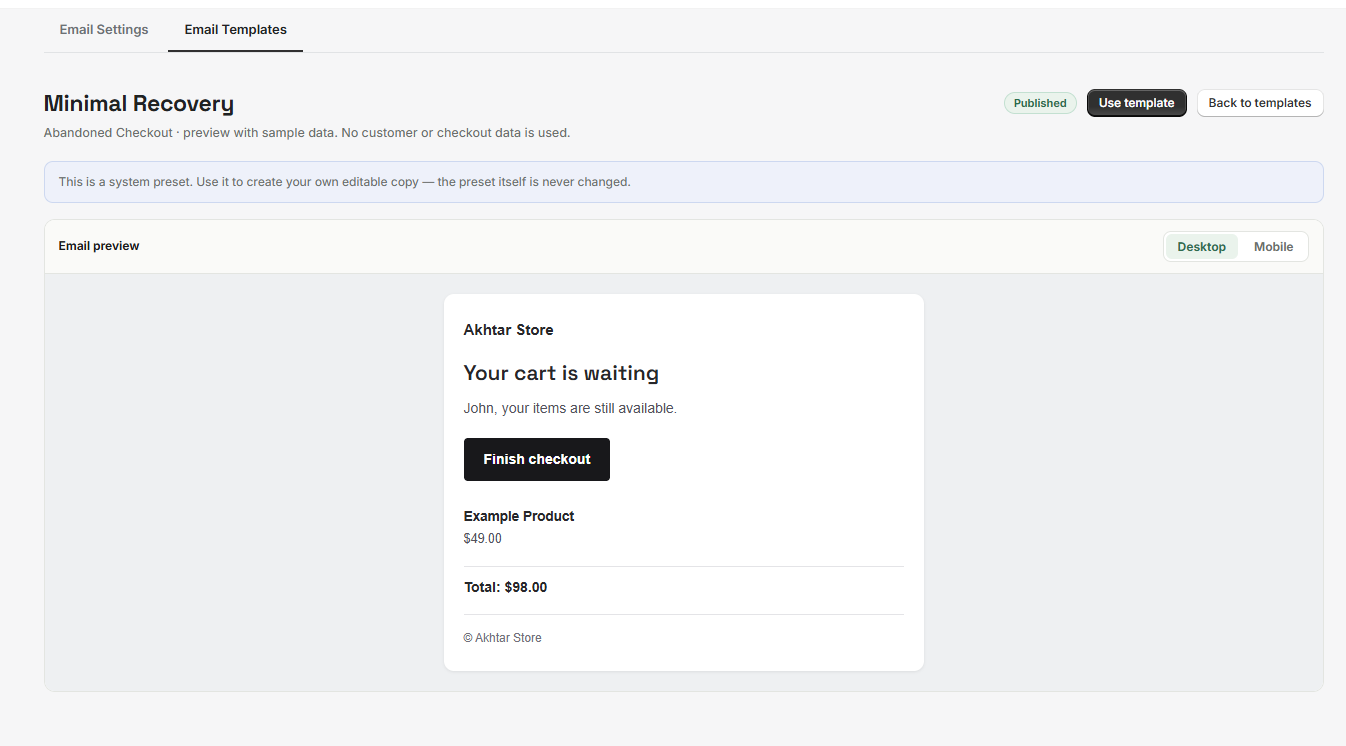 A built-in preset
Creating a template#
- Open Settings → Email Templates.
- Choose + Create template, or start from a preset.
- Fill in the editor on the left; the preview on the right updates as you type.
- Choose Save draft, then Publish when you are ready to use it.
The template editor#
| Section | What you set |
|---|---|
| Template | Template name and template type. |
| Branding | Logo image, alignment and an optional store name. |
| Hero | An optional hero image, with size and alignment. |
| Content | Subject, preheader, heading, message and button text. |
| Variables | The placeholders available for this template type. |
| Products | Product content in the email. |
| Button | The email’s call-to-action button. |
| Design | Colours and styling. |
| Footer | Footer content. |
The live preview can be toggled between Desktop and Mobile so you can check both.
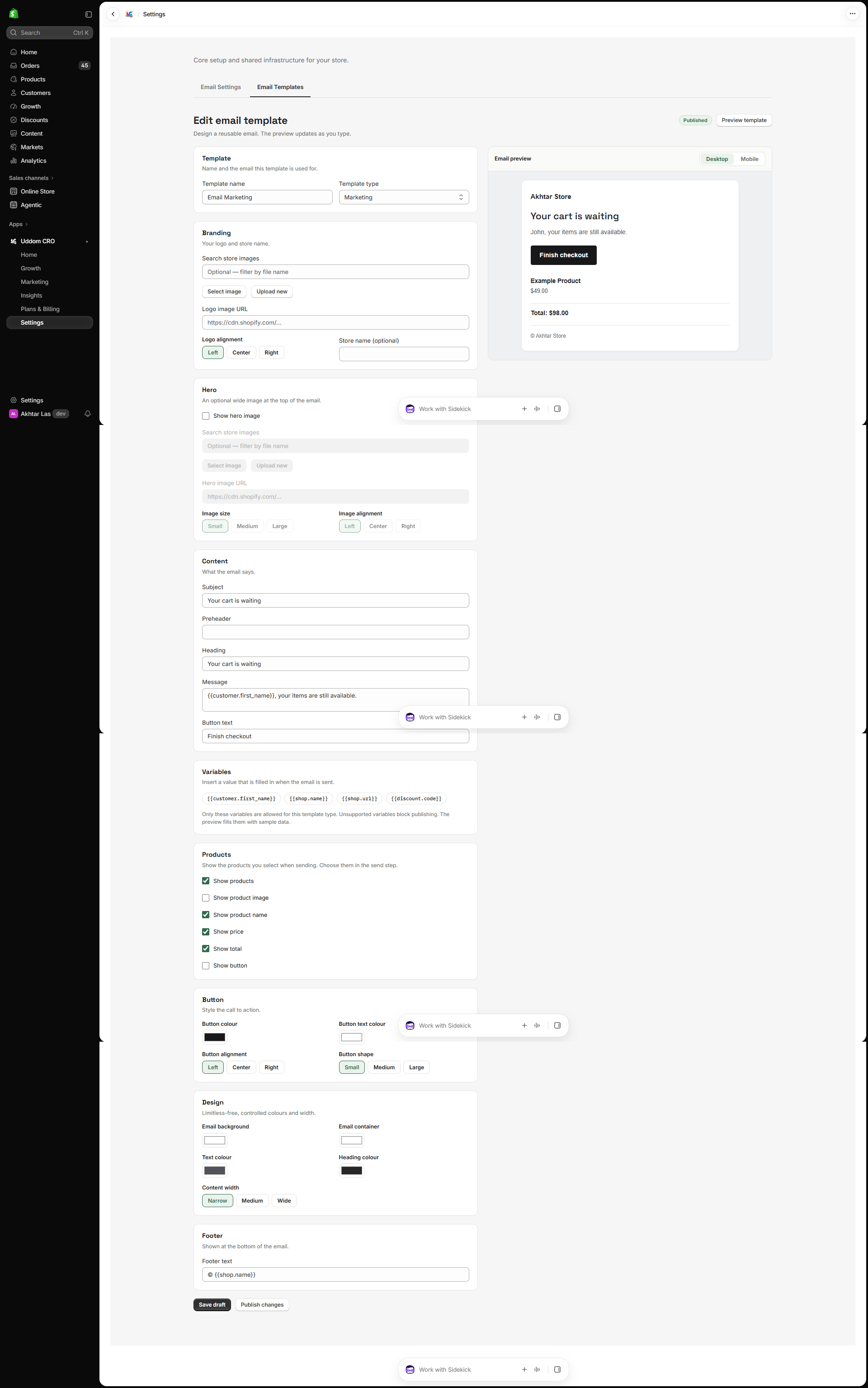 Email template editor
Template statuses#
| Status | What it means |
|---|---|
| Draft | Saved but not ready to use. |
| Published | Available to send. |
| Archived | Moved out of the way. |
From the list you can Preview, Edit, Duplicate and Archive your own templates, or Use template on a preset.
Sending a campaign or recovery email shows only published templates of the right type.
Best practices#
- Write a clear subject and preheader — they decide whether the email is opened.
- Check the mobile preview; most email is read on a phone.
- Give templates descriptive names so you pick the right one when sending.