Uddom installs like any other Shopify app. Once it is added, you open it from your Shopify admin and it stays available there.
Install the app#
- Open the Uddom listing on the Shopify App Store and choose Install.
- Review the permissions Uddom asks for and approve the installation.
- Shopify returns you to your admin. Uddom appears under Apps.
Open Uddom#
In your Shopify admin, go to Apps and select Uddom. The app opens inside your admin. You will land on the Home dashboard the first time.
Complete the setup guide#
Home shows a Setup guide titled Get your store ready to grow. It tracks three tasks and shows a progress figure such as 2 of 3 tasks complete.
| Task | What it means |
|---|---|
| Install and connect Uddom to your store | Completed automatically once the app is installed. |
| Enable the Uddom app embed | Turn on the app embed in your theme so Uddom’s widgets can show on your storefront. The task offers an Enable embed button. |
| Verify sender email | Required before cart recovery and win-back emails can send. The task offers a Verify email button. |
Step 2 — enabling the app embed — is the step merchants most often miss. Until it is done, modules can be switched on inside the app but nothing changes on your storefront. See Enable the app embed.
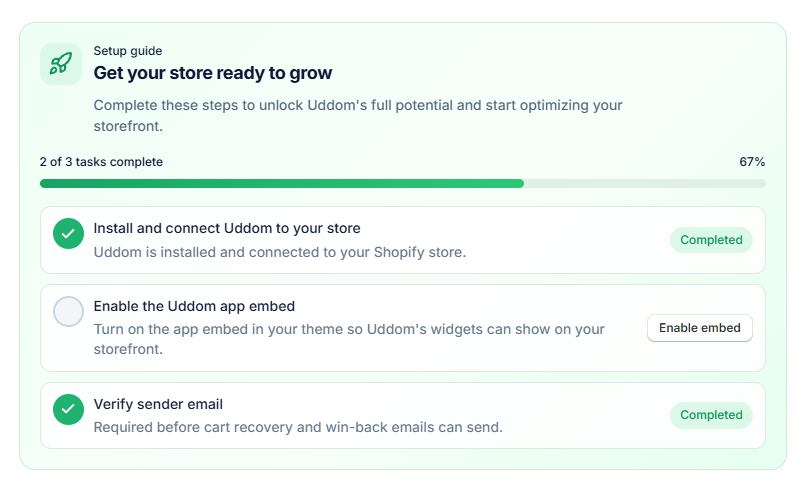 Home: Setup guide card
Store health#
Below the setup guide, Home shows a Store health card. It summarises what Uddom can verify for your store:
- App embed — shows Uddom is active on your theme (Active) or Uddom is not active on your theme (Action required).
- Sender email — points you to Settings → Email Delivery to check sender readiness.
- Other rows — some items show Status unavailable because Uddom does not track them on this page.
Before you start configuring modules#
Nothing else is required to turn modules on. Email features are the only ones with a prerequisite: you need a working sender before recovery or marketing email can be sent. That is covered in Email delivery.
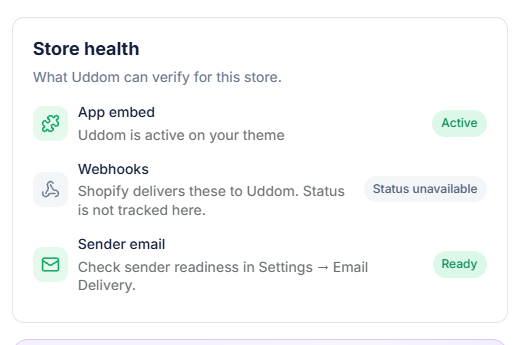 Home: Store health card
Troubleshooting#
- I cannot find Uddom in my admin. Check Apps in the Shopify admin. If it is not listed, reinstall from the App Store.
- The setup guide still shows tasks incomplete. Refresh the app. The app embed task updates after the embed is enabled in the theme.