Uddom labels each module with the plan it belongs to, so you can see at a glance which plan a feature is part of. This page explains those labels and the current state of billing.
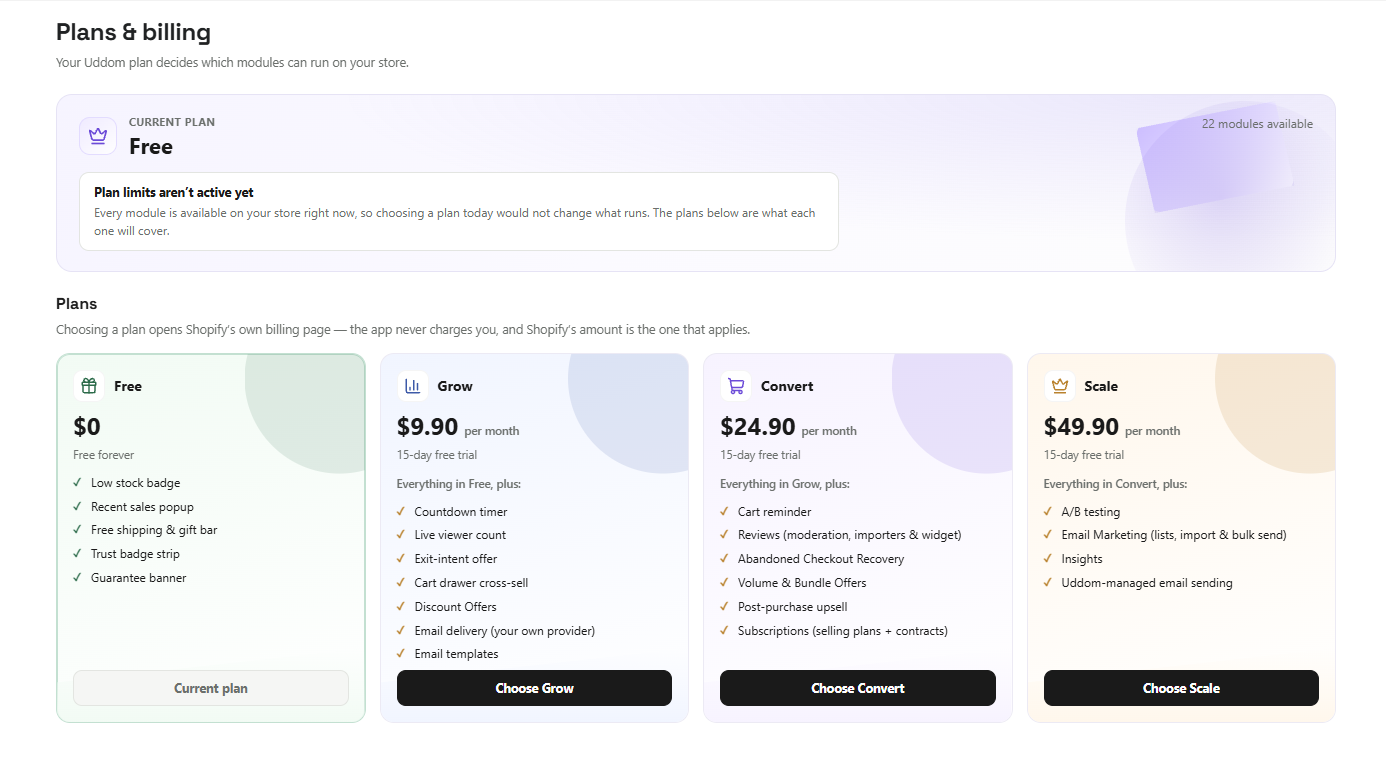 Plans & billing
Plan labels#
You will see one of four labels on each CRO module card:
| Label | Plan |
|---|---|
| Free | Included on the free plan. |
| Grow | Part of the Grow plan. |
| Convert | Part of the Convert plan. |
| Scale | Part of the Scale plan. |
To see which modules carry which label, open Growth → CRO — and each module page in these docs names its label at the top.
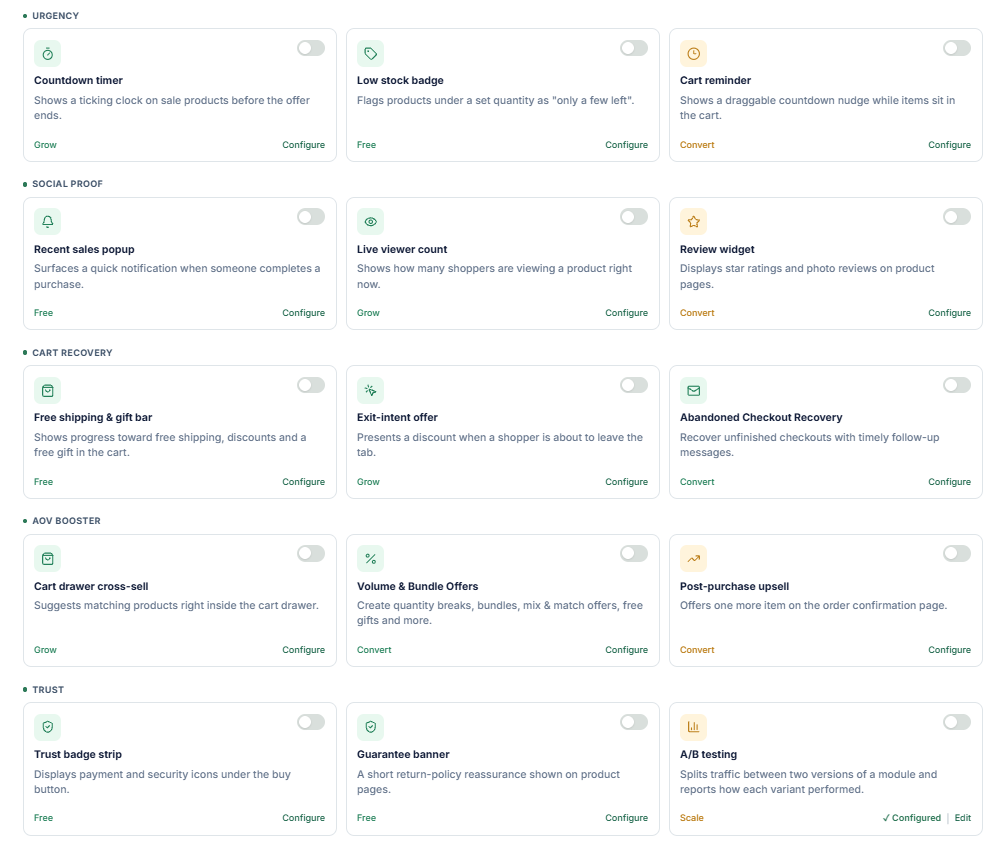 CRO module cards with plan labels
Billing setup#
The Plans & billing page in the app currently says “Billing setup is coming soon.” There is no pricing to show and no in-app purchase flow yet. This documentation does not list prices, because none are set up in the app.
When billing becomes available, this page will be updated with the plans, their features and how to change plan.
What you can do today#
- Browse the modules and their plan labels under Growth → CRO.
- Use the free modules immediately once the app embed is enabled.