The Cart reminder shows shoppers that their cart is being held for a limited time. It appears as a floating notification while the cart has items in it, and shoppers can drag it to a convenient spot on their screen.
What it does#
While the cart contains items, a timer counts down your chosen reservation window. If the time runs out, Uddom shows an “expired” message.
Why use it#
A reservation creates a gentle sense of a deadline around the cart itself, which helps reduce hesitation at checkout.
How to enable it#
- Open Growth → CRO and find Cart reservation timer in the Urgency group.
- Switch the toggle on.
- Choose Configure, pick a layout and set the duration and messages.
- Save.
Configuration#
| Setting | What it does |
|---|---|
| Layout | Floating Pill, Cart Bubble, Corner Mini Card, Bottom Floating Bar or Ring Timer. Default: Floating Pill. |
| Reservation duration | How long the cart is held, in minutes (1–1440). Default: 15. |
| Title | Default: “Your cart is reserved”. |
| Message | Default: “Complete your purchase before the reservation expires.”. |
| Expired message | Default: “Your cart reservation has expired.”. |
The timer appears as a floating storefront notification while the customer has items in their cart, and customers can drag it to a position that suits their device.
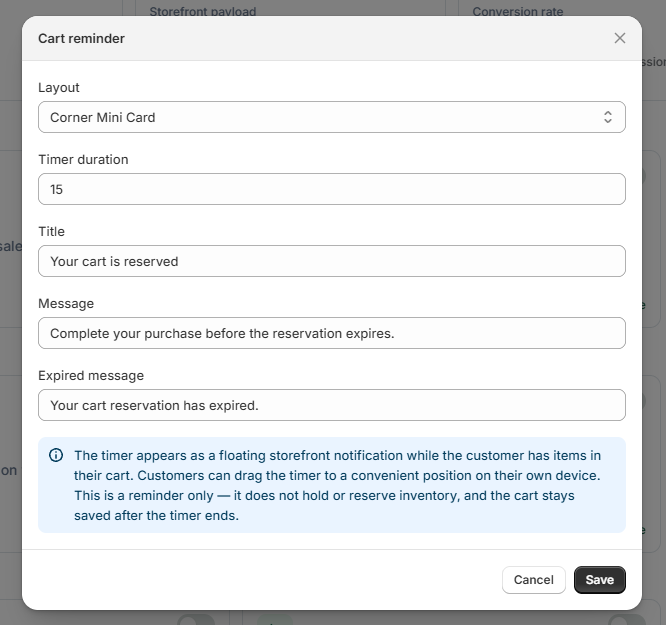 Cart reminder settings
What customers see#
With items in the cart, shoppers see a floating timer showing the reservation counting down. They can drag it out of the way, and an expired message appears if the window elapses.
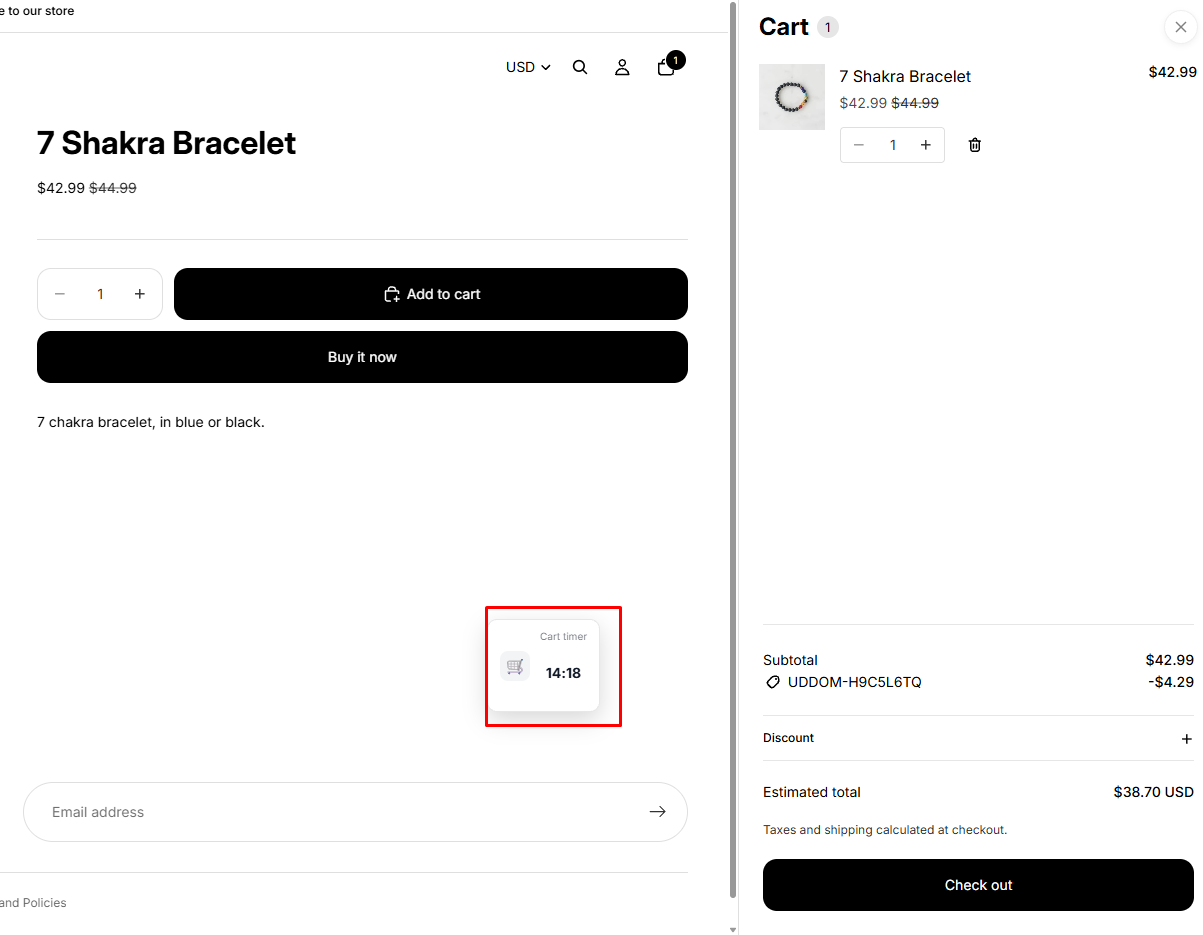 Storefront result: floating Cart reminder
Best practices#
- Choose a duration long enough that real shoppers are never rushed off, but short enough to feel meaningful — 10 to 20 minutes is a common range.
- Pick a layout that does not cover your theme’s cart or checkout controls.
Troubleshooting#
- Nothing appears. The timer only shows when the cart has items, and it needs the app embed enabled.
- It covers something important. Try a different layout, or tell shoppers they can drag it.