The Live viewer count displays how many shoppers are viewing a product, right on the product page.
What it does#
Uddom shows a small line such as “{count} people are viewing this product”. The number stays within a minimum and maximum you set, changes on the interval you choose, and can be kept consistent for the same visitor.
Why use it#
Activity on a product is a subtle signal of demand. A viewer count lets a shopper know they are not the only one looking — without a hard deadline.
How to enable it#
- Open Growth → CRO and find Live viewer count in the Social proof group.
- Switch the toggle on.
- Choose Configure and set the range, wording, layout and position.
- Save.
Configuration#
| Setting | What it does |
|---|---|
| Enable live viewer count | Turns the module on or off inside the card. |
| Layout | Classic, Minimal, Badge, Pulse or Modern. Default: Classic. |
| Minimum viewers | The lowest number that will be shown. Default: 3. |
| Maximum viewers | The highest number that will be shown. Default: 20. |
| Text |
Use {count} where the number should appear.
Default: “{count} people are viewing this product”.
|
| Position | Above product, Below product, Bottom left or Bottom right. Default: Above product. |
| Refresh interval | Seconds before the count changes (minimum 5). Default: 30. |
| Keep viewer count consistent for each visitor | When on, the same visitor keeps seeing the same figure instead of a new one on every page load. Default: on. |
| Show icon | Shows an icon before the text. Default: on. |
| Icon | The icon shown, for example 👁. |
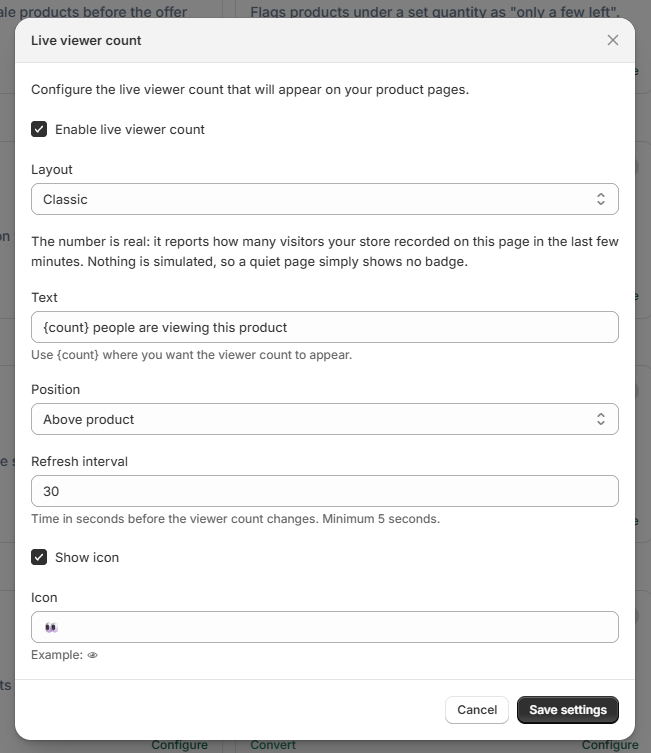 Live viewer count settings
What customers see#
Shoppers see your message with a number that stays within your range, refreshing on your interval. If you keep the count consistent per visitor, it does not jump around unexpectedly as they browse.
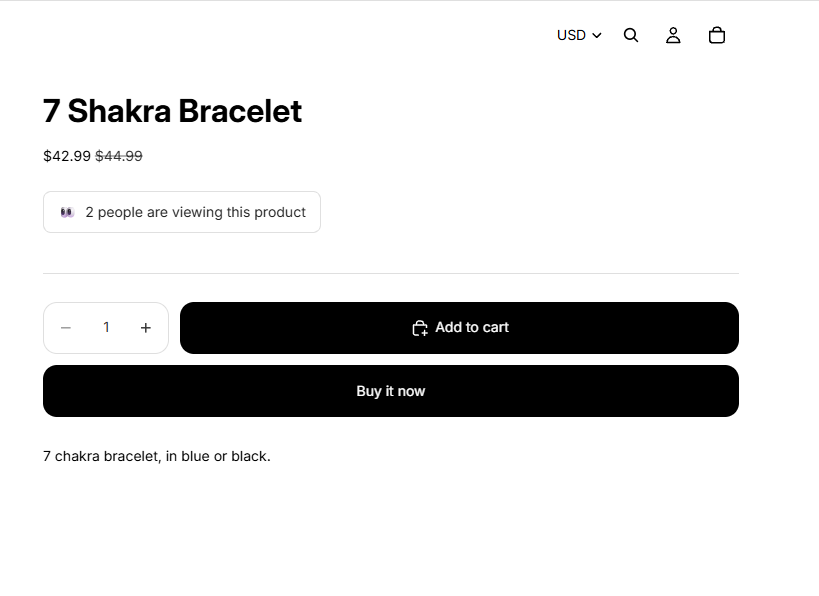 Storefront result: live viewer count on a product page
Best practices#
- Pick a realistic range for your traffic. A very high number on a quiet store reads as untrue.
- A longer refresh interval (30–60 seconds) feels calmer and less distracting.
- Keep “consistent for each visitor” on unless you specifically want the number to move on every visit.
Troubleshooting#
- The count never changes. Check the refresh interval — a longer interval means fewer changes. Also confirm the module is on and configured.
- Nothing shows. Confirm the app embed is enabled and the position fits your theme.